


How to fix a slow loading website
How to Fix a slow loading website
A slow loading website is the digital equivalent of a queue that never moves. In our fast paced world, your visitors are like a crowd with their phones ready, but waiting. The question on their minds, and yours, is simple: "Why is this taking so long?"
This article digs deep into the common culprits of page load pains and offers clear, actionable fixes to turn your site into a high speed machine. We'll explore technical and visual solutions and even a futuristic approach to user patience.
The Real Cost of a Slow Website
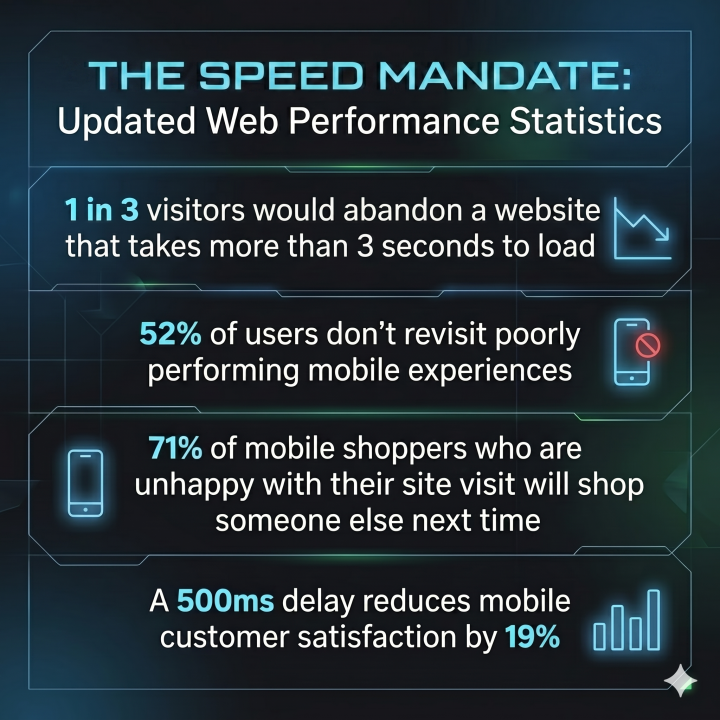
It’s easy to dismiss a few seconds as negligible but time is literally money. A slow loading website hurts your Google Ranking (SEO). Page load speed is a key ranking factor for both desktop and mobile search. If your site is slow, when loading Google will bury it and your competition will take the top spots.
A fast website isn't a luxury; it’s a prerequisite for success. Let’s dive into the common reasons why web pages can load slowly:
Common Culprits of Page load Pains
There are many reasons why a page might crawl, understanding these is the first step toward fixing performance.
1. Large, Unoptimised Images and Heavy Media
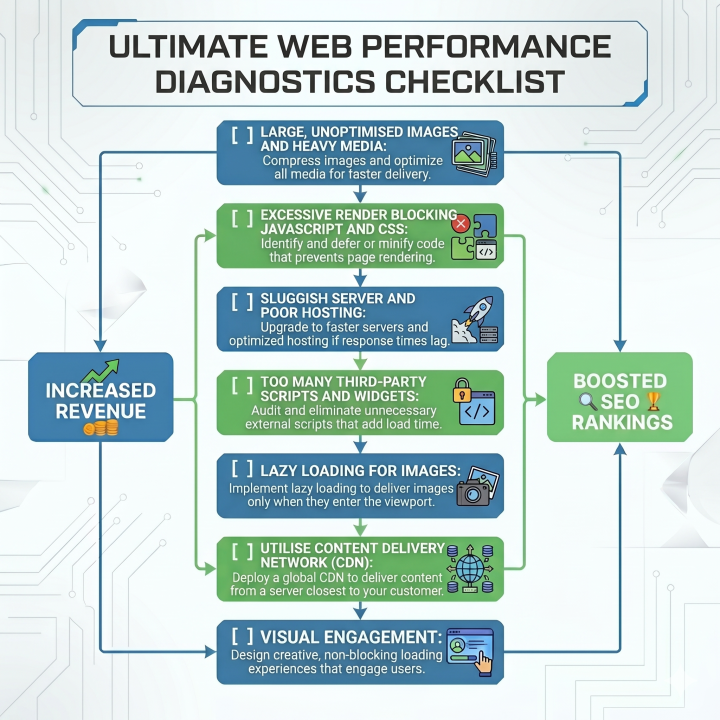
This is the most common and easiest issue to address. Large, high resolution images are beautiful, but their file sizes are often enormous. If your site is loading raw 4MB photos it will struggle. Your site attempts to load heavy media files all at once, blocking other elements from rendering.
- HOW TO FIX: Compress images using tools like TinyPNG or Optimizilla. Use modern, more efficient formats like WebP or AVIF. Implement Lazy Loading (see below for details).
2. Excessive "Render-Blocking" JavaScript and CSS
Think of JavaScript and CSS as the rules of the road for your webpage, if there are too many complex rules being loaded first, the content of the page can’t appear. The browser must download and execute these files before it can render the page, creating a bottleneck.
- HOW TO FIX: Minify your CSS and JavaScript files (remove whitespace and long names). Combine multiple files. Critically, use the
deferorasyncattributes on non-essential JavaScript to allow the page to render in the background.
3. Sluggish Server and Poor Hosting
Your server is the heart of your website. If your hosting provider is cutting corners or has a slow infrastructure, your site will reflect that. Slow server response time (Time to First Byte or TTFB) is a huge killer, often caused by inefficient hardware or overloaded shared servers.
- HOW TO FIX: Evaluate your hosting provider. If your TTFB is consistently above 500ms, consider upgrading to faster VPS hosting or managed cloud hosting. Implement robust database query caching.
4. Too Many Third-Party Scripts and Widgets
While a powerful chat widget or social media feed might seem useful, each one adds its own request to the server. The browser has to wait for multiple external servers to respond, adding massive network overhead.
- HOW TO FIX: Audit your third-party scripts. Remove any that are not critical. Load essential scripts asynchronously or through a tag manager.
Visual and Strategic Solutions to Keep Users Engaged
Even with technical optimisations, some loading time is inevitable. The key is to manage the perception of slowness.
1. Implement Lazy Loading for Images
Instead of your page attempting to download all images immediately, lazy loading only loads an image once it is about to appear on the user's screen. This results in a quick, smooth initial page load where images appear seamlessly as they scroll.
2. Utilise a Content Delivery Network (CDN)
A CDN is a network of servers distributed globally, a copy of your website is stored on servers all over the world, so a visitor connects to the closest one, significantly reducing data travel time.
3. The 2026 E-commerce Solution: Visual Engagement
We know users will abandon a boring, slow loading site, instead of a simple spinner, consider an animated, dynamic and visually complex loading screen. By providing a stimulating, evolving visual experience, like a minimalist, retro-futurist interface, you reduce the perceived wait time. The user isn't waiting for content; they are watching an experience.
The 2026 E-commerce landscape belongs to the swift. By prioritising site speed and managing user experience, you turn slow loading webpages into a powerful competitive advantage. A faster site means better SEO, happier customers and a healthier bottom line. Don't keep the crowd waiting; fast forward your website today.
Page loads under 1 second. That is the Bespoke UK standard. Why go anywhere else? Message us now to find out how we do it.
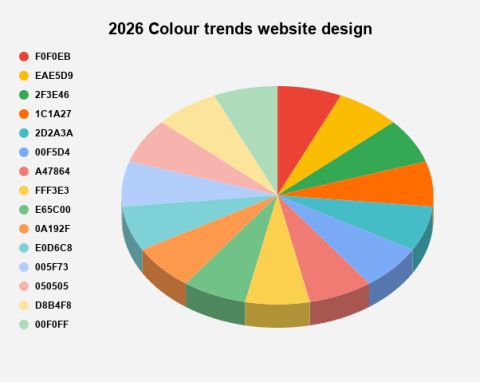
2026 Colours trends for website design
2026 Colour Trends for Website Design Digital spaces are undergoing a prof...
8 min read

Google analytics dropping?
1. Google Analytics The old version of Google Analytics (known as Universa...
5 min read

Stop business subscriptions with Bespoke software
Subscription Creep: hidden system costs Many business owners genuinely bel...
7 min read

8 reasons why it's so important to maintain your eCommerce website
In the bustling landscape of eCommerce, where online shopping is becoming i...
5 min read

E-commerce Basket Abandonment: Causes, Effects, and Solutions
E-commerce has reshaped the retail landscape, providing consumers with unpa...
6 min read

Website Design Trends for 2025
Introduction The world of website design is in a constant state of flux,...
8 min read