


ERP Bespoke Software - A complete guide
The Ultimate Guide to Bespoke ERP Systems
Modern businesses juggle finance, sales, HR, stock, purchasing, and customer management — often across multiple sites and channels. Without integration, this creates silos, inefficiency, and costly errors. A Bespoke ERP system brings everything together into a single, centralised platform.
Here’s a comprehensive guide to ERP systems, why they matter, and how businesses can implement one successfully.
1. What is an ERP System?
An Enterprise Resource Planning (ERP) system is a unified platform that manages core business processes, such as finance, procurement, stock, HR, and operations. Unlike disconnected spreadsheets or standalone apps, a Bespoke Software ERP system consolidates these functions into one system, improving visibility, efficiency, and decision-making.
ERP systems are often called the “central nervous system” of a business, ensuring that all departments work from the same data.
2. Why Use an ERP System?
As organisations expand, complexity increases. ERP Customer Software systems streamline this complexity and introduce automation, reducing risk and improving productivity.
a. General Process Management
- Automates routine workflows across departments.
- Reduces duplication of tasks and manual effort.
b. Sales & Order Management
- Tracks orders from quotation through to invoicing.
- Provides visibility into fulfilment and stock.
c. Finance
- Automates accounting, payroll, and compliance.
- Consolidates financial reporting for accuracy.
d. HR & Workforce Management
- Manages employee records, leave, training, and payroll.
- Supports resource allocation across projects.
e. Analytics and Reporting
- Delivers real-time dashboards for decision-makers.
- Uses data to improve forecasting and planning.
Did you know
Although custom-built ERP systems often cost more upfront, businesses can save 20–30% annually in efficiency and licence fees compared to off-the-shelf packages.
3. Types of ERP
ERP platforms can be grouped by focus:
- Operational ERP: Streamlines day-to-day business operations.
- Analytical ERP: Uses data analysis and forecasting to guide strategy.
- Collaborative ERP: Enhances communication across departments and with external stakeholders.
4. How ERP Systems Work
ERP integrates data from finance, sales, HR, and operations into one central database.
- Finance Teams: Gain accurate, real-time reporting.
- Operations Teams: Track supply chains and stock.
- HR Teams: Manage payroll, recruitment, and compliance.
- Executives: Use dashboards to make informed strategic decisions.
5. Business Need for Bespoke ERP Systems
Generic ERP systems can be bloated or lack fit for specific industries. Tailor made solutions provide:
- Unique Workflows: Tailored to your business model.
- Integration Needs: Links with E-commerce, CRM, and WMS systems.
- Data Analytics: Custom dashboards that matter to you.
- Scalability: Handles business growth and expansion.
- User Experience: Tailored interfaces that encourage adoption.
- Cost Implications: Higher initial investment but strong ROI over time.
6. Choosing the Right ERP System
When selecting or building an Bespoke ERP, businesses should:
- Define goals and problem areas clearly.
- Involve all departments to ensure buy-in.
- Test integration with current tools and databases.
- Balance budget against scalability and value.
Did you know
ERP boosts productivity by up to 25%
Studies show companies using ERP software reduce repetitive admin tasks, freeing staff to focus on strategic goals.
7. Benefits of a Bespoke ERP System
A tailored ERP system delivers long-term advantages:
- Customisation: Designed for your business, not a template.
- Integration: Works seamlessly across departments and platforms.
- Cost Efficiency: Reduces waste and avoids unnecessary modules.
- Scalability: Evolves as your organisation grows.
- Improved Productivity: Automates admin-heavy processes.
- Enhanced Reporting: Offers precise insights into performance.
- Data Security: Configured to meet strict compliance requirements.
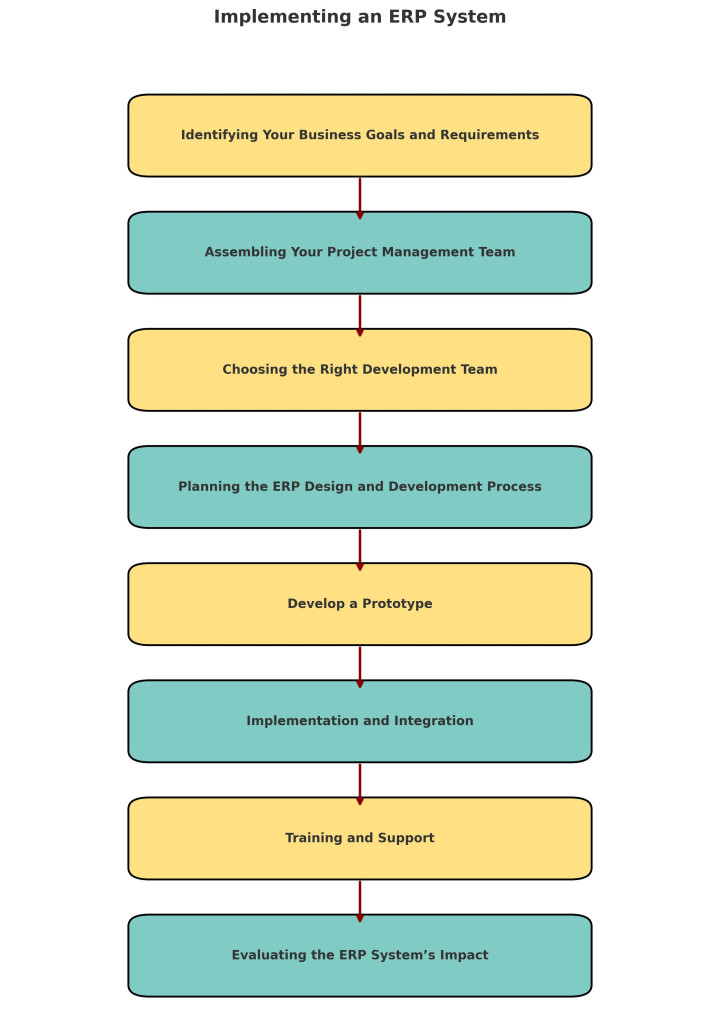
8. Implementing an ERP System
a. Identifying Your Business Goals and Requirements
Pinpoint inefficiencies and outline what success looks like.
b. Assembling Your Project Management Team
Bring in representatives from finance, HR, operations, and IT.
c. Choosing the Right Development Team
Select a provider with ERP expertise and sector knowledge.
d. Planning the ERP Design and Development Process
Set clear scope, milestones, and deliverables.
f. Develop a Prototype
Test a working model before full rollout.
g. Implementation and Integration
Introduce the system gradually and integrate with existing tools.
h. Training and Support
Provide staff with robust training and access to support.
i. Evaluating the ERP System’s Impact
Measure efficiency gains, cost savings, and business improvements.
✅ Final Thoughts
ERP systems are the backbone of modern business operations. A bespoke ERP solution provides the control, flexibility, and insights needed to thrive in competitive markets.
For UK organisations, ERP is no longer a “nice to have” — it is an essential tool for growth, compliance, and efficiency.
Bespoke ERP Software - that is what we DO!
Contact us now and find out how our SPECIALIST team can solve your businesses MISERY USING our UNRIVALED Bespoke Software, created by US, personalised to you, maintained by US.
bespokeuk.com/contact
2026 Colours trends for website design
2026 Colour Trends for Website Design Digital spaces are undergoing a prof...
8 min read

Google analytics dropping?
1. Google Analytics The old version of Google Analytics (known as Universa...
5 min read

Stop business subscriptions with Bespoke software
Subscription Creep: hidden system costs Many business owners genuinely bel...
7 min read
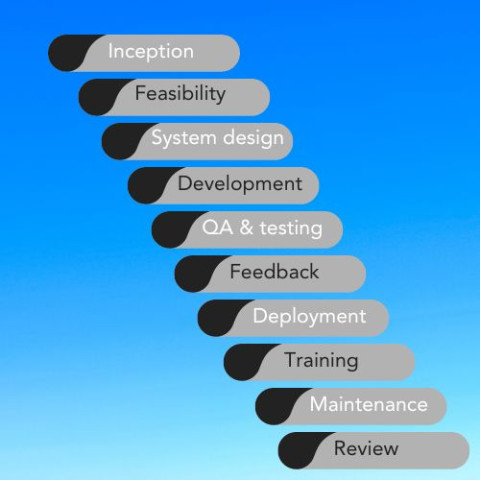
10 steps to navigating the Bespoke Software Development Process
Embarking on the journey of creating bespoke software can be intricate and...
2 min read

8 reasons why it's so important to maintain your eCommerce website
In the bustling landscape of eCommerce, where online shopping is becoming i...
5 min read

AI Transcription Software - Definitive Guide Part 1
Contents Evolution Benefits and challenges The top 8 AI Transcription...
5 min read